

Best SEO Reporting Tools for Agencies and Freelancers
Compare the best SEO reporting tools for agencies and freelancers in 2026, including pricing, features, and who each platform suits best, from AgencyAnalytics to Looker Studio.
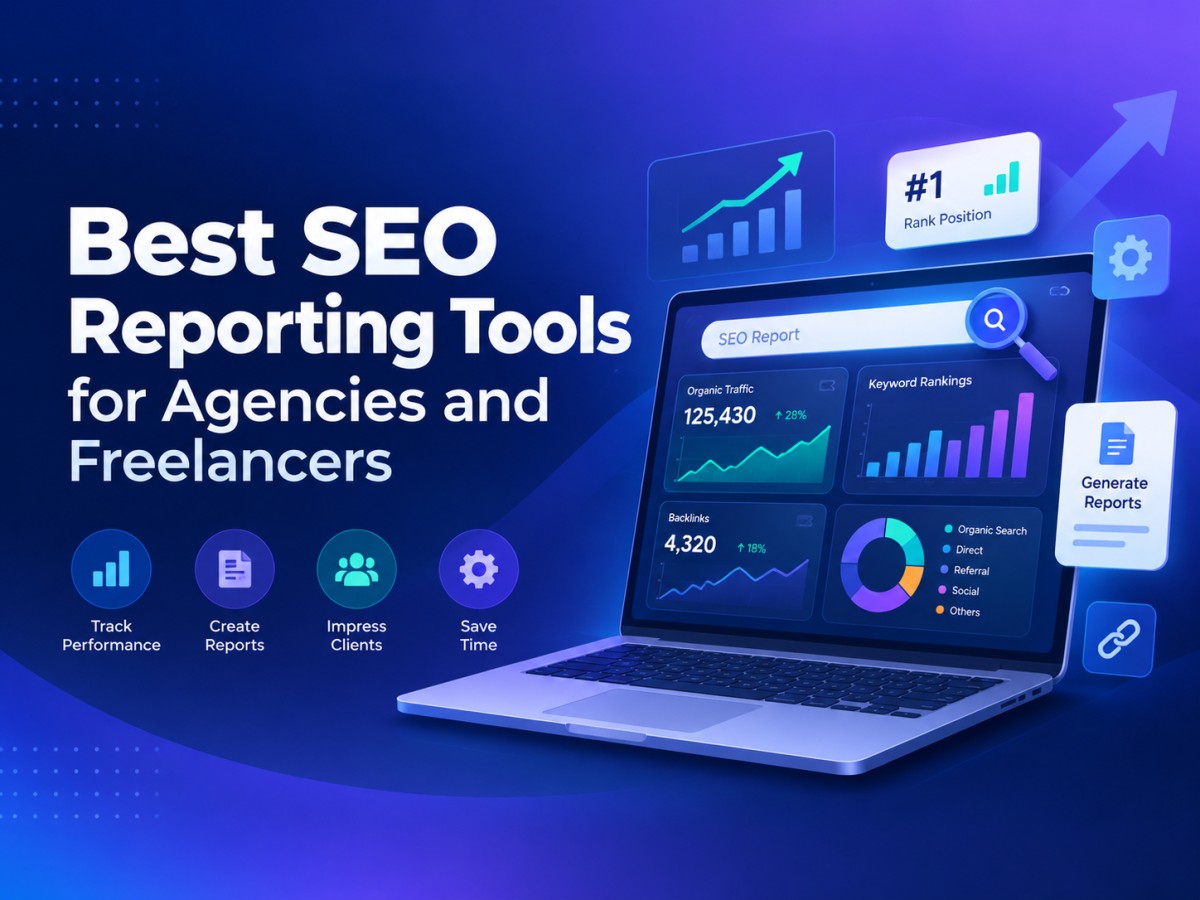
Table of Contents
- 1. Introduction: Why SEO Reporting Tools Matter
- 2. What to Look for in an SEO Reporting Tool
- 3. AgencyAnalytics — Best All-Round Client Reporting Platform
- 4. SE Ranking — Best Value for Small Agencies
- 5. Semrush — Best for Deep SEO and Competitive Data
- 6. Ahrefs — Best for Backlink and Technical Reporting
- 7. Moz Pro — Best Beginner-Friendly Option
- 8. DashThis — Best for Multi-Channel Marketing Dashboards
- 9. SEOptimer — Best Budget Option for Freelancers
- 10. Google Looker Studio — Best Free Option
- 11. Pricing Comparison Table
- 12. How to Choose the Right Tool for Your Business
- 13. Final Thoughts
-
1. Introduction: Why SEO Reporting Tools Matter
Ask any agency owner or freelance SEO consultant what eats up the most unpaid time in their business, and the answer is rarely strategy or keyword research. It's reporting. Pulling data from Google Search Console, Google Analytics, a rank tracker, and a backlink tool, then formatting it all into something a client can actually understand, is a task that can quietly consume hours every single month.
SEO reporting tools exist to solve exactly this problem. They connect to your data sources, track your key metrics automatically, and generate client-ready reports often branded with your own logo without you needing to touch a spreadsheet. The right platform doesn't just save time; it makes your business look more professional, helps you retain clients by demonstrating ongoing value, and frees you up to spend more hours doing the actual SEO work that clients are paying for.
The challenge is that the market is crowded. Some tools are built purely for reporting and dashboards. Others are full SEO suites with rank tracking, keyword research, and backlink analysis that happen to include strong reporting features as part of a much bigger package. Prices range from completely free to several hundred dollars a month, and the right choice depends heavily on how many clients you manage and what kind of data you need to report on.
This guide breaks down the best SEO reporting tools for agencies and freelancers in 2026, along with honest pricing, so you can find the platform that actually fits your workflow and your budget.
-
2. What to Look for in an SEO Reporting Tool
Before comparing individual platforms, it helps to know what actually separates a good reporting tool from a mediocre one.
White-label capability matters enormously for agencies. Clients should see your branding, not the software vendor's. Automation is equally important — the best tools let you schedule reports to be generated and emailed automatically, rather than requiring manual exports every month. Data source integrations determine how much of your workflow the tool can actually cover; look for native connections to Google Search Console, Google Analytics, Google Business Profile, and major rank trackers. Customisation lets you build dashboards that reflect what each specific client actually cares about, rather than a rigid template. Finally, pricing structure varies significantly — some tools charge per client, some per dashboard, and some per user seat, which can dramatically change the real-world cost depending on how your business is structured.
With that framework in mind, here's how the leading tools stack up.
-
3. AgencyAnalytics — Best All-Round Client Reporting Platform
AgencyAnalytics is one of the most widely used dedicated reporting platforms built specifically for agencies. It pulls data from more than 80 marketing platforms — including Google Ads, Meta Ads, Google Analytics, and major SEO rank trackers — into clean, easy-to-read client dashboards.
Its strongest feature is automation: reports can be scheduled to generate and send on a recurring basis with almost no manual input once set up. White-label branding is available from the entry tier, and the interface is generally considered one of the easiest in the category for non-technical account managers to use.
The trade-off is that pricing is based on the number of client accounts, which means costs climb quickly as your client roster grows, and some advanced features such as API access are locked behind higher tiers.
Pricing: Plans start around $79 per month (roughly $59/month on annual billing) for a limited number of clients, scaling up through Agency, Agency Pro, and custom Enterprise tiers as client count and feature needs increase. Pricing is structured per client, so it's worth calculating your real monthly cost based on your actual client list rather than the advertised entry price.
-
4. SE Ranking — Best Value for Small Agencies
SE Ranking has built a strong reputation as a genuinely affordable alternative to the bigger SEO suites, without sacrificing much in the way of core functionality. It combines rank tracking, site audits, keyword research, backlink analysis, and white-label reporting in a single platform, with an add-on Agency Pack for agencies that need branded client portals.
What makes SE Ranking particularly appealing for smaller operations is its pricing-to-feature ratio. You get a genuinely capable toolset, including AI search visibility tracking across platforms like ChatGPT and Google AI Overviews, without paying premium-tier prices.
Pricing: The Core plan runs approximately $103/month on annual billing (around $129/month paid monthly), covering keyword tracking and core reporting. The Growth plan costs roughly $223/month on annual billing, adding higher keyword volumes and historical data. The optional Agency Pack for white-label reporting adds roughly $69/month. A 14-day free trial is available.
-
5. Semrush — Best for Deep SEO and Competitive Data
Semrush needs little introduction. It's one of the most comprehensive digital marketing platforms available, covering SEO, PPC, content marketing, and social media in a single suite. For reporting specifically, Semrush offers customisable, brandable PDF reports and dashboards that pull directly from its own extensive keyword and competitor databases.
The appeal here is depth. If your reporting needs to include competitive analysis, share-of-voice tracking, or content performance alongside standard SEO metrics, Semrush covers more ground than most dedicated reporting tools. The downside is cost, particularly once you factor in additional user seats.
Pricing: The Pro plan costs $139.95 per month, suited to freelancers and small teams. The Guru plan costs $249.95 per month and adds historical data and content marketing tools. The Business plan costs $499.95 per month, aimed at larger agencies needing API access and extended reporting limits. Annual billing brings meaningful savings across all tiers.
-
6. Ahrefs — Best for Backlink and Technical Reporting
Ahrefs is widely regarded as the industry leader for backlink data accuracy, and its reporting tools reflect that strength. For agencies whose clients care deeply about link-building progress, technical site health, or content gap analysis, Ahrefs consistently provides some of the most reliable underlying data in the industry.
Its dashboards and shareable reports are functional rather than flashy, but the data quality behind them is what agencies tend to value most. Ahrefs also introduced a lower-cost Starter tier in 2026, making it more accessible to solo freelancers who previously found the platform too expensive to justify.
Pricing: A Starter plan is available from $29 per month for very limited use. The Lite plan costs $129 per month, Standard costs $249 per month, and Advanced costs $449 per month. Enterprise pricing starts from $1,499 per month. Annual billing saves approximately 17% across paid tiers, and there is no free trial on the core plans.
-
7. Moz Pro — Best Beginner-Friendly Option
Moz Pro has long been known for being one of the more approachable SEO platforms, particularly for people newer to the industry. Its reporting features are straightforward, its interface avoids unnecessary complexity, and its Domain Authority metric remains a widely recognised (if sometimes debated) benchmark that many clients already recognise by name.
Moz's reporting isn't as deep as Semrush or Ahrefs when it comes to competitive intelligence, but for agencies whose clients want clear, digestible monthly updates rather than dense data exports, that simplicity is often exactly the point.
Pricing: The Starter plan begins at roughly $49 per month. The Standard plan costs around $99 per month, Medium around $179 per month, and Large around $299 per month. A free trial is available, and annual billing typically saves around 20%.
-
8. DashThis — Best for Multi-Channel Marketing Dashboards
DashThis takes a different approach from the tools above — it isn't an SEO platform with reporting bolted on, but a dedicated dashboard and reporting tool designed to pull data from dozens of marketing sources, SEO included, into a single visual dashboard. It's a strong fit for agencies that report on SEO alongside PPC, social media, and email marketing for the same client.
Pricing is based on the number of dashboards you build rather than the number of users or clients, which can work in your favour if one client needs multiple dashboards, but adds up quickly if you're managing many separate client accounts.
Pricing: Plans start at roughly $49 per month for a small number of dashboards, rising through the Professional (~$149/month) and Business (~$289/month) tiers up to around $449 per month for the highest tier. A 15-day free trial is available on all plans.
-
9. SEOptimer — Best Budget Option for Freelancers
SEOptimer is built around fast, clear SEO audits and client-friendly white-label reports, making it a popular choice among freelancers and small agencies that need to demonstrate value quickly — particularly during sales conversations with prospective clients. It scans over 100 on-page and technical factors and turns the results into recommendations that don't require an SEO background to understand.
It isn't as deep as Semrush or Ahrefs in keyword research or backlink volume, but for solo consultants who mainly need clean audits and simple recurring reports, it's a genuinely cost-effective option.
Pricing: The DIY SEO plan starts at $29 per month, with White Label and Embedding options available from around $39 per month. A free trial is available, and no credit card is required to start.
-
10. Google Looker Studio — Best Free Option
For freelancers just starting out, or agencies comfortable building their own connections, Google Looker Studio (formerly Google Data Studio) remains the best free option on the market. It connects directly to Google Search Console, Google Analytics, and — via connectors — many third-party SEO tools, letting you build fully custom, branded dashboards at no cost.
The trade-off is time. Looker Studio requires manual setup and a degree of comfort with data visualisation, and it lacks the plug-and-play automation of paid platforms. But for those willing to invest the setup time, it's difficult to beat on price.
Pricing: Completely free to use. Some premium data connectors from third-party providers may carry their own separate costs.
-
11. Pricing Comparison Table
Tool Starting Price Best For AgencyAnalytics ~$79/month ($59/month annual) All-round agency client reporting SE Ranking ~$103/month (annual) Best value for small agencies Semrush $139.95/month Deep SEO and competitive data Ahrefs $29/month (Starter) Backlink and technical reporting Moz Pro ~$49/month Beginner-friendly reporting DashThis ~$49/month Multi-channel dashboards SEOptimer $29/month Budget-friendly freelancer audits Google Looker Studio Free Fully custom, zero-cost dashboards Note: Pricing is based on published rates at the time of writing and is subject to change. Always confirm current pricing directly on each provider's website before purchasing, as SaaS pricing structures are frequently revised.
-
12. How to Choose the Right Tool for Your Business
If you're a solo freelancer just starting out, Google Looker Studio combined with SEOptimer's audit tool gives you a genuinely capable, low-cost setup. If you're a small agency with a handful of clients, SE Ranking or Moz Pro typically offer the best balance of features and price. If your agency reports on multiple marketing channels for the same clients, DashThis is worth serious consideration. And if your clients expect deep competitive intelligence alongside their SEO reporting, Semrush or Ahrefs will justify their higher price tags.
It's also worth trialling more than one option before committing. Most of the tools above offer free trials, and the real test of a reporting platform isn't its feature list — it's whether it actually saves you time once it's built into your monthly workflow.
-
13. Final Thoughts
There is no single "best" SEO reporting tool — only the best tool for your specific client base, budget, and reporting needs. Agencies managing dozens of clients across multiple channels will get more value from an all-in-one platform like AgencyAnalytics or DashThis, while solo freelancers with a handful of clients may find that SEOptimer, SE Ranking, or even a well-built free Looker Studio dashboard covers everything they need.
The most important shift, regardless of which tool you choose, is moving away from manual reporting altogether. The hours saved by automating what used to be a repetitive monthly task can be redirected toward the strategic work that actually grows client results and, in turn, your business.
Frequently Asked Questions
What's Your Reaction?
 Like
0
Like
0
 Dislike
0
Dislike
0
 Love
0
Love
0
 Funny
0
Funny
0
 Wow
0
Wow
0
 Sad
0
Sad
0
 Angry
0
Angry
0

A spirit that pursues sunsets and tales. Entrepreneur at heart, globe-trotter by soul. Founder of an art-worshiping jewelry brand that embodies emotion & individuality — where each piece is a tale of culture, craft, and character. From trails up mountains to gem markets, I'm inspired by all journeys — transforming wanderlust into enduring design. Establishing a brand built on authenticity, refinement & purpose — one work at a time.














Comments (0)