

Top Grammar and Editing Tools for SEO Writers
Discover the best grammar and editing tools for SEO writers in 2026, with real pricing, strengths, and weaknesses, to help you publish clean, polished content that ranks.
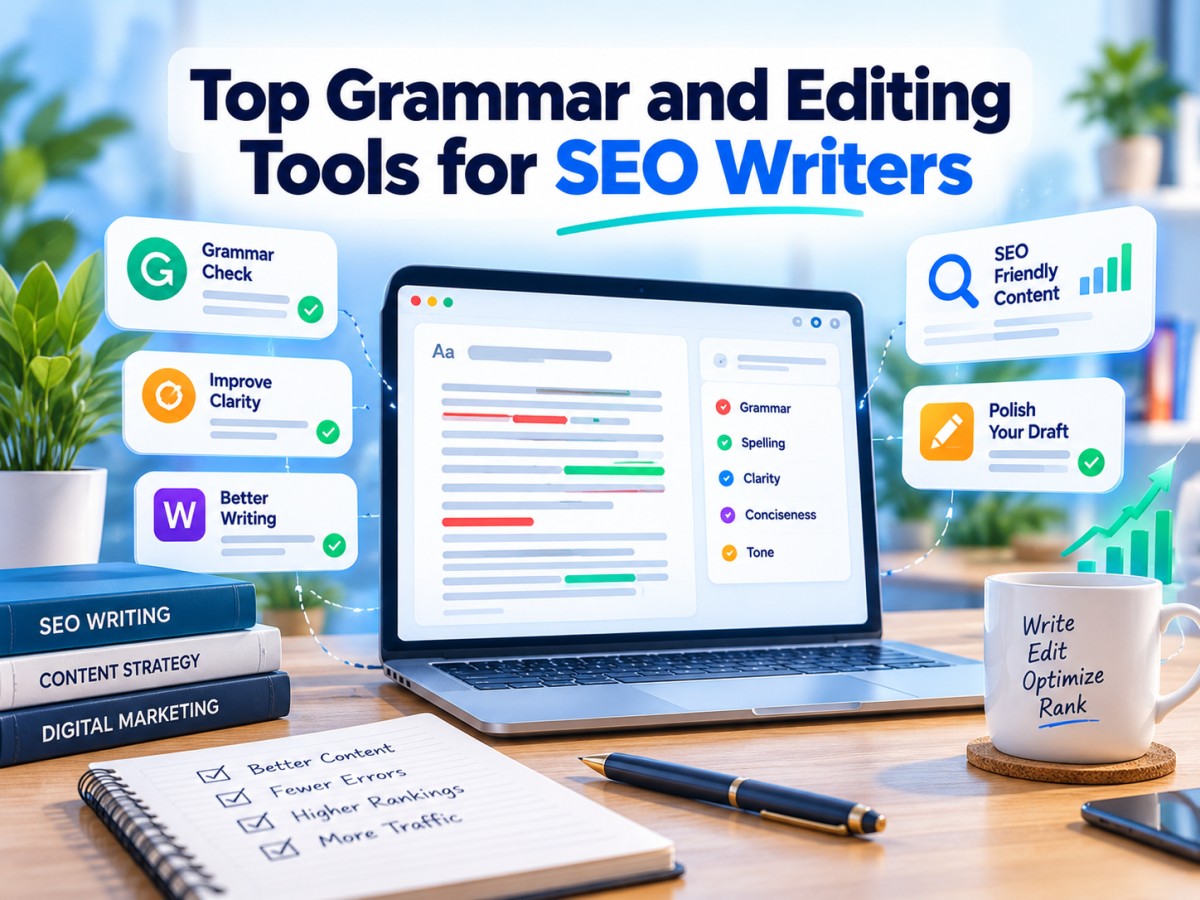
Table of Contents
- 1. Introduction: Why Grammar Still Matters in SEO Writing
- 2. What an SEO Writer Actually Needs From an Editing Tool
- 3. The Top Grammar and Editing Tools for SEO Writers (With Pricing)
- 4. Quick Price Comparison Table
- 5. Grammar Checker vs. Readability Tool: Why You Need Both
- 6. How to Choose the Right Tool for Your Workflow
- 7. Final Thoughts
-
1. Introduction: Why Grammar Still Matters in SEO Writing
It's tempting to think that in an age of AI drafting tools and SERP-scoring software, grammar checking is the least important piece of the SEO content stack. The opposite is true. Google's helpful content systems are explicitly built to reward writing that feels trustworthy and well-crafted, and nothing undermines trust faster than a typo in the first paragraph, a dangling modifier in a headline, or a sentence so long the reader gives up halfway through.
Grammar and editing tools do more than catch spelling mistakes. The better ones in this category now flag passive voice, readability issues, repetitive phrasing, inconsistent tone, and even plagiarism — all factors that influence how long a visitor stays on a page, how likely they are to share it, and how search engines interpret dwell time and engagement signals.
For SEO writers specifically, the job is slightly different from general proofreading. You're not just writing cleanly — you're writing cleanly at scale, often across dozens of articles a month, frequently with AI-assisted drafts that need a human polish pass before they go live. That changes which tools are worth paying for and which features actually move the needle.
This guide walks through the strongest grammar and editing tools on the market in 2026, what each one does well, what it costs, and who it's actually built for.
-
2. What an SEO Writer Actually Needs From an Editing Tool
Before comparing specific products, it helps to be clear about the criteria that matter most for content written to rank, rather than content written for a classroom or a novel manuscript:
- Readability scoring. Tools that calculate grade-level readability help you match the reading level your audience actually wants — most web content performs best around a 7th–9th grade level.
- Tone and clarity feedback. Catching robotic, repetitive, or overly formal phrasing matters more in SEO writing than in academic writing, where that tone is expected.
- Plagiarism and originality checking. With AI-assisted drafting now common, an originality check before publishing is cheap insurance against accidental duplication.
- Browser and CMS integration. A tool that works inside WordPress, Google Docs, and your browser saves far more time than one that only works in its own standalone app.
- Bulk or team usage. Agencies and larger content teams need multi-seat pricing that doesn't scale punishingly with headcount.
No single tool nails every one of these, which is why many serious SEO writers end up running two tools side by side, typically a grammar-focused checker alongside a readability-focused one.
-
3. The Top Grammar and Editing Tools for SEO Writers (With Pricing)
-
1. Grammarly
Grammarly remains the most widely used grammar tool for a reason: it works everywhere. The browser extension, desktop app, and Google Docs integration mean it catches issues in real time, wherever you're actually writing, rather than requiring you to paste text into a separate tool. Its tone detector and clarity suggestions have improved significantly, and it now includes AI-assisted rewriting suggestions alongside traditional grammar and spelling checks.
Price: Free plan available; Premium from $12/month (billed annually) or $30/month billed monthly; Business plans from $15/member/month (minimum 3 seats). Strengths: Works across virtually every writing surface; strong tone and clarity detection; low learning curve. Weaknesses: Deeper style and structural analysis (sentence variety, overused words) is thinner than ProWritingAid's. Best for: Writers who want one tool that quietly works in the background across browser, docs, and CMS without extra steps.
-
2. ProWritingAid
ProWritingAid is built for writers who want to understand why a sentence isn't working, not just that it isn't. Its reports break writing down by sentence length variation, overused words, passive voice frequency, readability, and even pacing — genuinely useful for SEO writers trying to avoid the flat, repetitive rhythm that's become a telltale sign of lightly-edited AI drafts.
Price: Premium from $10/month billed annually (around $120/year) or $30/month billed monthly; a lifetime license is available for roughly $399 one-time. Strengths: The most detailed style and structure analysis in this category; the lifetime plan is excellent long-term value for solo writers. Weaknesses: The sheer number of reports can feel overwhelming for writers who just want quick corrections. Best for: SEO writers and content editors who want deep diagnostic feedback on sentence-level style, not just grammar fixes.
-
3. Hemingway Editor
Hemingway takes a deliberately narrow approach: it doesn't try to be a full grammar checker. Instead, it highlights long, hard-to-read sentences, adverb overuse, and passive voice, and gives your writing a single readability grade. For SEO content — where scannable, punchy writing usually outperforms dense prose — this focused feedback is often more actionable than a long list of grammar notes.
Price: Classic desktop app (Mac or Windows) is a one-time purchase of $19.99; the newer Editor Plus subscription runs from $25/month (5,000-word limit) up to $30/month (10,000-word limit), with annual billing available at $100–$150/year; a free online editor is also available. Strengths: Unmatched simplicity for readability-focused editing; the one-time desktop purchase is great value for writers who don't need AI features. Weaknesses: Minimal grammar and spelling detection compared to Grammarly or ProWritingAid, it's a readability tool first. Best for: Writers who already have a grammar checker and specifically want sentence-length and readability feedback layered on top.
-
4. QuillBot
QuillBot started as a paraphrasing tool and has expanded into a fuller writing suite that now includes grammar checking, a plagiarism checker, and AI text detection alongside its rewriting features. For SEO writers who need to rework AI-generated drafts into more natural, varied phrasing, its paraphraser remains one of the stronger tools on the market.
Price: Free plan available with limited daily usage; Premium plans typically run from around $9.95–$19.95/month depending on billing term, with discounted multi-year options often available. Strengths: Strong paraphrasing and rewriting alongside grammar checking; useful plagiarism detection bundled in. Weaknesses: Grammar checking alone is less thorough than dedicated tools like Grammarly or ProWritingAid. Best for: Writers regularly reworking AI drafts who want rewriting and grammar checking in one subscription.
-
5. Sapling
Sapling is less of a solo-writer tool and more of a team and customer-facing-writing tool, built around an AI-powered grammar and style checker that integrates into help desks, CRMs, and content platforms. For content teams managing multiple writers, its snippet and autocomplete features can speed up repetitive writing tasks like meta descriptions or product copy.
Price: Individual plans typically start around $12–$25/month; team and business pricing is quote-based depending on seats and integrations. Strengths: Strong for teams needing consistent tone across multiple writers and customer-facing content. Weaknesses: Less suited to solo bloggers; business pricing requires a sales conversation rather than transparent self-serve tiers. Best for: Content and support teams standardising writing quality across several contributors.
-
6. Linguix
Linguix positions itself as an all-in-one grammar, paraphrasing, and content-generation assistant, with a particular focus on affordability for freelancers and small teams. Its browser extension covers the basics well, and its paraphrasing tool is a useful add-on for writers who don't want to pay for a separate rewriting tool.
Price: Free plan available; Premium typically runs from around $10–$13/month billed annually. Strengths: Competitive pricing; decent all-in-one feature set for the price. Weaknesses: Less polished and less accurate on complex grammar issues than Grammarly or ProWritingAid. Best for: Budget-conscious freelancers who want basic grammar, paraphrasing, and content suggestions in one low-cost tool.
-
7. Ginger Software
Ginger has been in the grammar-checking space for years and remains a solid, if less feature-rich, alternative to Grammarly. Its sentence rephraser and translation features add some versatility, particularly for writers working across multiple languages.
Price: Premium plans typically range from around $7–$13/month depending on billing term and promotional pricing. Strengths: Affordable; decent multilingual support alongside grammar checking. Weaknesses: Style and readability feedback is noticeably thinner than ProWritingAid or Grammarly. Best for: Writers who need basic grammar correction plus occasional translation support, on a tight budget.
-
8. Microsoft Editor
If you're already working inside Microsoft Word or Outlook, Microsoft Editor is worth knowing about simply because it's often already included in a Microsoft 365 subscription you're paying for anyway. It covers spelling, grammar, and basic clarity and conciseness suggestions, with a lighter touch than dedicated grammar tools.
Price: Included free with a Microsoft 365 subscription (from around $6.99/month for Personal); a limited free version is also available standalone in Word and Edge. Strengths: Zero extra cost if you already have Microsoft 365; works natively inside Word. Weaknesses: Noticeably less sophisticated than dedicated grammar tools for style, tone, and readability feedback. Best for: Writers who draft primarily in Microsoft Word and don't want to add another subscription.
-
-
4. Quick Price Comparison Table
Tool Starting Price Best For Microsoft Editor Free (or bundled with M365 from ~$6.99/mo) Word-based writers Hemingway Classic (desktop) $19.99 one-time Readability-only editing Linguix ~$10–$13/month Budget all-in-one Ginger Software ~$7–$13/month Basic grammar + translation ProWritingAid $10/month (annual) Deep style diagnostics QuillBot ~$9.95–$19.95/month Rewriting + grammar combined Sapling ~$12–$25/month Team/brand consistency Grammarly $12/month (annual) All-purpose, works everywhere Hemingway Editor Plus $25–$30/month AI-assisted readability editing ProWritingAid Lifetime ~$399 one-time Long-term solo use Prices are accurate at the time of writing and may change, always confirm current rates on each provider's official pricing page before subscribing.
-
5. Grammar Checker vs. Readability Tool: Why You Need Both
A common mistake is assuming a single tool covers everything. Grammar checkers like Grammarly and ProWritingAid are built to catch what's technically wrong — misused commas, subject-verb agreement, spelling errors. Readability tools like Hemingway are built to catch what's structurally hard to read — sentences that are grammatically correct but exhausting to get through.
SEO content benefits from both passes. A technically flawless paragraph can still rank poorly on user engagement if it reads like a legal document. Many experienced SEO writers run a grammar pass first, then a separate readability pass, treating them as two distinct editing stages rather than expecting one tool to do both jobs equally well.
-
6. How to Choose the Right Tool for Your Workflow
Solo blogger on a tight budget: Start with Grammarly's free plan or Linguix, and pair it with Hemingway's free online editor for readability — zero cost to start.
Freelance SEO writer publishing regularly: ProWritingAid's annual plan or lifetime license offers the deepest diagnostic value for a single recurring cost, especially if you're editing AI-assisted drafts that need real structural polish.
Content team or agency: Grammarly Business or Sapling's team tier give you consistency across multiple writers, with admin oversight that solo plans don't offer.
Writers reworking AI drafts heavily: QuillBot's combination of paraphrasing and grammar checking saves a tool-switching step that otherwise slows down editing AI-generated first drafts.
Already paying for Microsoft 365: Don't add another subscription until you've tested whether Microsoft Editor's built-in checks are enough for your needs.
-
7. Final Thoughts
No single grammar or editing tool is objectively "the best" for every SEO writer — the right choice depends on whether you need deep style diagnostics (ProWritingAid), seamless everyday grammar checking (Grammarly), focused readability feedback (Hemingway), or an affordable all-in-one option (Linguix, Ginger). What matters most is treating editing as a distinct, non-negotiable step in your content workflow, not an afterthought squeezed in before hitting publish.
Content that reads cleanly, flows naturally, and respects the reader's time continues to earn more trust from both readers and search engines than content that merely hits the right keyword density. The right editing tool won't write better content for you, but it will make sure your content shows up as polished as the research and ideas behind it deserve.
Frequently Asked Questions
What's Your Reaction?
 Like
0
Like
0
 Dislike
0
Dislike
0
 Love
0
Love
0
 Funny
0
Funny
0
 Wow
0
Wow
0
 Sad
0
Sad
0
 Angry
0
Angry
0

A spirit that pursues sunsets and tales. Entrepreneur at heart, globe-trotter by soul. Founder of an art-worshiping jewelry brand that embodies emotion & individuality — where each piece is a tale of culture, craft, and character. From trails up mountains to gem markets, I'm inspired by all journeys — transforming wanderlust into enduring design. Establishing a brand built on authenticity, refinement & purpose — one work at a time.

















Comments (0)