

Best Image Optimization Plugins for Faster Website Speed
Discover the best image optimization plugins of 2026 for faster website speed, better Core Web Vitals, and improved SEO, with full pricing comparisons for every tool.
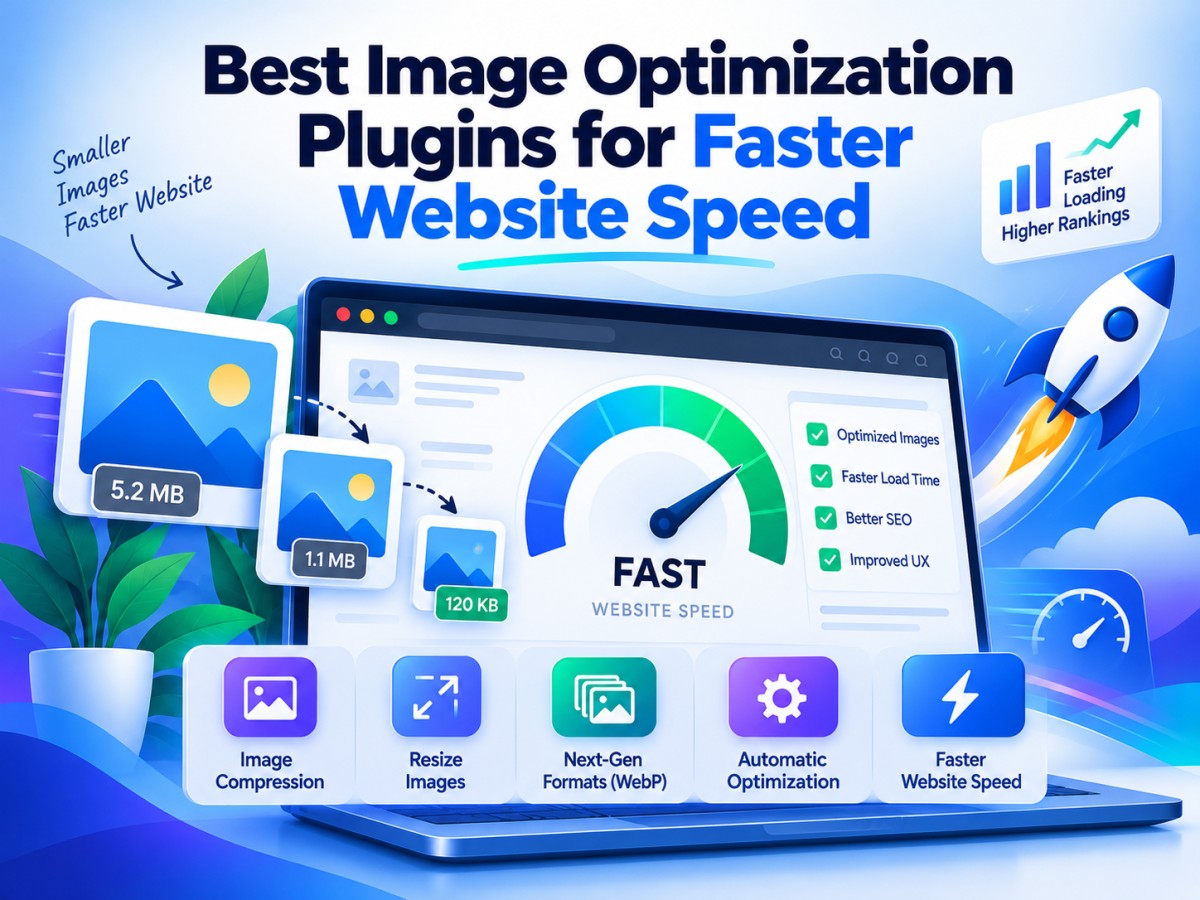
Table of Contents
- 1. Introduction: Why Images Are Still Slowing Down Your Site
- 2. How Image Optimization Actually Improves Site Speed
- 3. What to Look For in an Image Optimization Plugin
- 4. The Best Image Optimization Plugins in 2026 (With Pricing)
- 5. Quick Price Comparison Table
- 6. Local vs Cloud-Based Optimization: Which Should You Choose?
- 7. How to Choose the Right Plugin for Your Site
- 8. Final Thoughts
-
1. Introduction: Why Images Are Still Slowing Down Your Site
Open almost any slow website's performance report and you'll find the same culprit sitting at the top: images. On the average web page, images account for roughly half of total page weight, which means they're usually the single biggest lever you can pull to improve load times, Core Web Vitals scores, and ultimately search rankings.
The frustrating part is that most of this bloat is completely unnecessary. A photo straight off a modern smartphone camera can easily weigh 4–8 MB, while a properly compressed, correctly sized version of the same image might weigh under 150 KB with no visible difference in quality. Multiply that gap across a blog with hundreds of posts or an ecommerce store with thousands of product photos, and you start to understand why image optimization is consistently one of the highest-impact, lowest-effort fixes in web performance.
This is exactly the problem image optimization plugins solve. Instead of manually compressing and converting every file before upload, these tools automate the entire process — resizing, compressing, converting to next-generation formats like WebP and AVIF, and in some cases, serving everything through a CDN.
This guide walks through the strongest options available right now, including real, current pricing, so you can pick the plugin that actually fits your site rather than the one with the loudest marketing.
-
2. How Image Optimization Actually Improves Site Speed
Image optimization plugins typically work through a combination of these techniques:
- Lossy or lossless compression — reducing file size by either slightly simplifying image data (lossy, smaller files) or preserving every pixel exactly (lossless, safer but less dramatic savings).
- Next-gen format conversion — automatically generating WebP or AVIF versions of your images, which are typically 25–50% smaller than JPEG or PNG at equivalent visual quality.
- Resizing oversized uploads — many CMS platforms allow images far larger than what's actually displayed on the page; resizing to the actual display dimensions avoids wasted bandwidth.
- Lazy loading — delaying the loading of images until they're about to enter the visible viewport, which speeds up initial page load significantly.
- CDN delivery — some tools serve optimized images from a global content delivery network, cutting latency for visitors far from your hosting server.
Together, these techniques directly improve Largest Contentful Paint (LCP), one of Google's three core ranking-relevant Core Web Vitals, which is why image optimization sits at the intersection of performance and SEO.
-
3. What to Look For in an Image Optimization Plugin
Before comparing specific tools, it helps to know what actually separates a good plugin from a mediocre one:
- Compression quality vs. file size trade-off. The best tools let you fine-tune this rather than forcing one setting on your entire library.
- WebP and AVIF support. AVIF support in particular is still inconsistent across plugins, so check this carefully if you want the smallest possible files.
- Local vs. cloud processing. Local processing keeps everything on your own server (private, but uses server resources); cloud processing offloads the work to an external API (faster, but usually metered).
- Bulk optimization for existing libraries. You need a tool that can retroactively compress years of existing uploads, not just new ones going forward.
- Backup and restore options. Compression should never be irreversible — look for plugins that keep originals or backups.
- Pricing that scales sensibly. Credit-based and visit-based pricing models can become expensive fast on image-heavy or high-traffic sites, so check the real cost at your scale, not just the entry price.
-
4. The Best Image Optimization Plugins in 2026 (With Pricing)
-
1. ShortPixel
ShortPixel is widely regarded as the best all-around value in this category, offering strong lossy and lossless compression alongside both WebP and AVIF conversion — a combination not every competitor matches. Bulk optimization handles existing media libraries cleanly, and the credit system, while slightly more complex to understand than flat pricing, works out cheap at scale.
Price: Free plan with 100 image credits/month. Paid plans start from around $3.99–$8.25/month (billed annually), with unlimited-credit plans available on higher tiers. Best for: Site owners who want the best mix of price, compression quality, and next-gen format support.
-
2. Imagify
Imagify comes from WP Media, the team behind WP Rocket, and integrates especially smoothly if you're already using that caching plugin. It stands out for including both WebP and AVIF conversion on its free plan — a rarity in this space — and for consistently strong AVIF compression results in independent testing.
Price: Free plan covers 20 MB of images/month (roughly 200 images, 2 MB file cap). Paid plans start at approximately $4.99–$5.99/month for 500 MB (~5,000 images), with unlimited plans around $9.99–$11.99/month. All paid plans work across unlimited websites. Best for: WP Rocket users and anyone who wants AVIF support without paying for it.
-
3. Smush
Smush is the most widely installed plugin in this category, with over a million active installs and a strong reputation for being beginner-friendly. The free version covers lossless compression, resizing, and lazy loading, though independent tests show its free-tier compression is noticeably less aggressive than competitors — the real value kicks in on the paid tier.
Price: Free version available. Pro plans start from approximately $6/month, or roughly $49–$60 billed annually depending on the current promotion. Best for: Beginners who want a simple, well-documented plugin with a large support community.
-
4. EWWW Image Optimizer
EWWW's standout feature is unlimited local optimization — because compression happens directly on your own server rather than through an external API, there's no credit limit and no recurring bill if you stick to local processing. This makes it the strongest genuinely free option on this list, though cloud-based optimization and AVIF conversion do require a paid upgrade.
Price: Free for unlimited local optimization. Cloud-based (Easy IO) plans start from around $7–$8/month. Best for: Technically comfortable site owners who want unlimited optimization with zero recurring cost.
-
5. Optimole
Optimole takes a different approach entirely — rather than compressing files that sit on your server, it serves images in real time through its own CDN, automatically adjusting format, size, and compression based on each visitor's device and connection. This is powerful for sites with large media libraries, but pricing is based on monthly visits rather than image count, which can get expensive fast on high-traffic sites.
Price: Free plan covers up to 2,000 visits/month. Starter plan from approximately $19/month (48,000 visits), scaling up to Business tiers around 120,000 visits. Best for: Image-heavy sites and portfolios that want fully automated, real-time CDN delivery.
-
6. NitroPack
NitroPack goes beyond image optimization into full-site performance — caching, CSS/JS minification, and image compression delivered together through a CDN. If you want one plugin to handle multiple performance bottlenecks at once rather than stacking several tools, this is a strong candidate, though it's less of a pure-play image optimizer than the others on this list.
Price: Free plan covers 1,000 pageviews/month. Paid plans start from around $8/month. Best for: Site owners who want image optimization bundled with broader caching and performance tools.
-
7. WP-Optimize
WP-Optimize is best understood as an all-rounder — image compression sits alongside database cleanup and caching in a single plugin, making it a reasonable choice for anyone who wants to tackle several performance issues without installing three separate tools.
Price: Free version available with core features. Premium plans start from approximately $58.80/year. Best for: Users who want image optimization, caching, and database cleanup bundled together.
-
8. Converter for Media
Worth a mention for anyone who simply wants WebP/AVIF conversion without a subscription at all — Converter for Media focuses specifically on format conversion rather than aggressive compression, processing everything locally with no credit system.
Price: Free (core plugin); Pro add-ons available for a one-time or modest annual fee depending on the feature set needed. Best for: Site owners who just want format conversion handled locally, without recurring costs.
-
-
5. Quick Price Comparison Table
Plugin Free Tier Starting Paid Price EWWW Image Optimizer Unlimited (local) ~$7–$8/month (cloud) Converter for Media Yes (core features) Free / low-cost add-ons Imagify 20 MB/month (~200 images) ~$4.99/month ShortPixel 100 credits/month ~$3.99/month Smush Yes (basic compression) ~$6/month WP-Optimize Yes (core features) ~$58.80/year NitroPack 1,000 pageviews/month ~$8/month Optimole 2,000 visits/month ~$19/month Prices are accurate at the time of writing and may change, always confirm current rates on the provider's official pricing page before purchasing.
-
6. Local vs Cloud-Based Optimization: Which Should You Choose?
This is one of the most consequential decisions when picking a plugin, and it's worth understanding clearly.
Local optimization (like EWWW's free tier) processes images directly on your own server using installed compression libraries. It's private, has no recurring API costs, and works even if your site loses its internet connection temporarily — but it uses your server's own CPU and memory, which can slow down shared hosting during large bulk jobs.
Cloud-based optimization (ShortPixel, Imagify, Optimole) sends images to an external API for processing, then returns the compressed file. This is typically faster and less resource-intensive for your own server, and often achieves better compression through more sophisticated algorithms — but it depends on credits, visits, or monthly quotas, and requires sending your images to a third-party service.
Neither approach is universally better. Smaller sites on limited hosting often do well with cloud-based tools; sites with very large media libraries and decent server resources can save money long-term with local optimization.
-
7. How to Choose the Right Plugin for Your Site
If you're running a small blog or portfolio with a modest media library, EWWW's free local optimization or Imagify's generous free tier will likely cover everything you need at zero cost.
If you're running an ecommerce store with thousands of product images, ShortPixel's credit-based pricing tends to offer the best value at scale, particularly if you need both WebP and AVIF support.
If you want one plugin to handle everything — caching, minification, and images together — NitroPack or WP-Optimize save you from juggling multiple tools.
If your site is highly image-heavy and visually driven, like a photography portfolio, Optimole's real-time CDN delivery is worth the higher price simply because it adapts images per visitor automatically.
-
8. Final Thoughts
Image optimization remains one of the few website improvements that's genuinely low-effort and high-impact — install the right plugin, configure it once, and your entire media library quietly gets faster without any further work on your part. There's no single best choice for every site: EWWW and Imagify's free tiers are hard to beat for smaller sites, ShortPixel offers the strongest overall value at scale, and Optimole or NitroPack make sense if you want optimization folded into a broader performance strategy.
Whichever plugin you choose, the real win isn't the plugin itself, it's finally fixing the single most common cause of slow-loading websites.
Frequently Asked Questions
What's Your Reaction?
 Like
0
Like
0
 Dislike
0
Dislike
0
 Love
0
Love
0
 Funny
0
Funny
0
 Wow
0
Wow
0
 Sad
0
Sad
0
 Angry
0
Angry
0

A spirit that pursues sunsets and tales. Entrepreneur at heart, globe-trotter by soul. Founder of an art-worshiping jewelry brand that embodies emotion & individuality — where each piece is a tale of culture, craft, and character. From trails up mountains to gem markets, I'm inspired by all journeys — transforming wanderlust into enduring design. Establishing a brand built on authenticity, refinement & purpose — one work at a time.















Comments (0)