

Best UGC Video Creation Tools for Brands and Content Creators in 2026
Discover the best UGC video creation tools for brands and creators in 2026. Compare AI avatars, video generators, editing software, features, pricing and use cases.

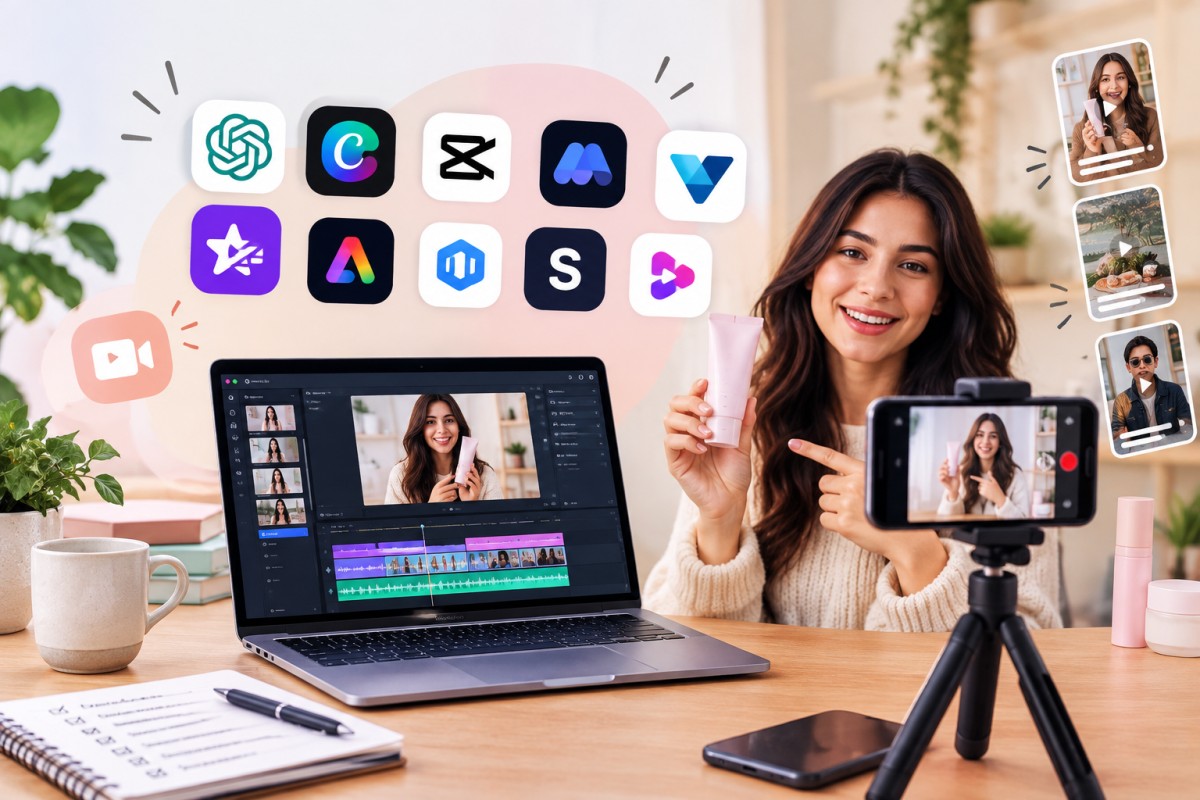
User-generated content, or UGC, has become one of the most effective formats for brands that want their advertising to feel natural rather than overly polished.
A short product review, an unboxing, a talking-head recommendation or a simple “I tried this and here’s what happened” video can often feel more relatable than a traditional commercial.
The challenge is that producing UGC at scale takes time. You need scripts, presenters, filming, editing, captions, product visuals, voiceovers and multiple versions for different platforms.
That is where today's UGC video creation tools come in.
Some platforms can create videos with AI avatars. Others turn a script into a complete video, automatically edit long footage into short clips, generate captions or help creators produce polished social videos without advanced editing skills.
In this guide, we'll look at some of the best UGC video creation tools for brands, agencies and content creators in 2026, including their main features, pricing, strengths and ideal use cases.
Pricing note: AI-video pricing changes frequently and can vary by country, billing cycle and usage credits. Prices below are useful reference points, but always check the current plan before purchasing.
Quick Comparison: Best UGC Video Creation Tools
| Tool | Starting Price | Best For | Main Strength |
|---|---|---|---|
| HeyGen | Free; paid from $29/month | AI avatar UGC | Digital presenters and voice cloning |
| Captions | Free; Max $24.99/month | Short-form UGC | AI editing and digital actors |
| Canva | Free; Pro from $15/month equivalent | Brand content | Design + video creation |
| InVideo AI | Free option; paid from $17/month | AI-generated videos | Prompt-to-video production |
| CapCut | Free; paid plans vary | Reels and TikTok | Fast mobile/social editing |
| Descript | Free; paid from $16/month | Talking-head UGC | Text-based video editing |
| VEED | Free; paid plans available | Online video production | Browser-based editing |
| Synthesia | Free; paid from $29/month | Professional AI presenters | Business avatars and localization |
| Adobe Express | Free; Premium available | Branded social videos | Adobe ecosystem |
| Runway | Paid plans available | Creative AI video | Generative video effects |
| OpusClip | Free option; paid plans available | UGC repurposing | Long-video-to-shorts |
| Riverside | Free option; paid plans available | Creator interviews | Recording + editing |
| Pictory | Paid plans available | Script-to-video | Automated video creation |
| VEED AI Avatars | Included in VEED ecosystem | Presenter videos | AI presenters + editing |
| Adobe Premiere Pro | Subscription | Professional editing | Advanced control |
What Is a UGC Video Creation Tool?
A UGC video creation tool is software that helps brands and creators produce videos that resemble the informal, authentic style commonly associated with user-generated content.
That could mean:
- A creator reviewing a product
- Someone demonstrating how a product works
- A customer-style testimonial
- An unboxing video
- A talking-head advertisement
- A product comparison
- A “three reasons why I love this” Reel
- A short TikTok-style advertisement
- An AI-generated spokesperson video
The important thing is that UGC does not necessarily mean the video has to be filmed by a real customer.
Brands increasingly use a combination of real creators, AI avatars, synthetic voiceovers, stock footage and AI-generated visuals to create UGC-style advertising.
However, brands should be transparent when an AI-generated person or voice is being used, particularly when viewers could reasonably mistake it for a real customer.
1. HeyGen
Best for: AI avatar UGC and digital spokesperson videos
HeyGen is one of the strongest choices if you want to create UGC-style videos without hiring a presenter for every piece of content.
You can select an AI avatar, provide a script and generate a presenter-led video.
The platform also supports custom avatars, voice cloning, multilingual video creation and video translation.
Key features
- AI video avatars
- Custom digital twins
- Voice cloning
- Text-to-video
- AI video generation
- Multilingual content
- Video translation
- AI-generated B-roll
- Brand assets
- 1080p and 4K export depending on plan
- Team collaboration
Pricing
HeyGen currently has:
- Free plan
- Creator: $29/month
- Pro: $49/month
- Business: $149/month
- Enterprise: Custom pricing
The Creator plan includes 600 credits per month, while Pro starts with 1,000 credits and adds 4K export. Business includes team collaboration and 1,500 credits per month.
Best UGC use
A skincare company could create several testimonial-style videos featuring different AI presenters, languages and scripts without arranging multiple shoots.
Our verdict
Excellent for: AI spokesperson campaigns and scalable UGC-style advertising.
Potential drawback: AI-generated presenters can sometimes feel less natural than genuine creator footage.
2. Captions
Best for: Short-form UGC and social media creators
Captions is built around the type of content that performs well on platforms such as Instagram and TikTok.
The platform combines traditional editing with generative AI features.
Its Max plan includes AI actors, digital twins, AI-generated footage, automated editing and the ability to turn longer videos into multiple short clips.
Key features
- AI video editing
- Digital twins
- AI actors
- Automatic captions
- AI-generated B-roll
- Short-form video creation
- Long-video repurposing
- AI music and sound effects
- Chat-based editing
- Caption templates
- Multiple languages
Pricing
Captions currently offers:
- Free plan
- Max: $24.99/month
- Scale: $69.99/month
- Scale 2x: $139.99/month
- Scale 4x: $279.99/month
- Enterprise: Custom
Best UGC use
Creators can record a basic talking-head video and use Captions to automatically improve the presentation, add captions, create B-roll and produce multiple versions.
Our verdict
Excellent for: Reels, TikTok and fast-paced creator content.
3. Canva
Best for: Brands that want design and video creation in one place
Canva is no longer simply a graphic-design platform.
Its video tools have expanded considerably, including AI-assisted video creation, templates, animation, stock media, audio editing and social publishing.
Canva's AI video generator can create video clips from text prompts with synchronized audio, dialogue and sound effects.
Key features
- Video templates
- AI video generation
- AI image generation
- Image-to-video
- Video editing
- Automatic captions
- Animation
- Stock footage
- Music and sound
- Brand Kits
- Social media publishing
- Collaboration
Pricing
Canva currently offers:
- Free
- Pro: $180/year for one person on the listed annual plan
- Business: $250/year per person
- Enterprise: Custom
The Free plan includes basic design and video capabilities, while Pro adds premium content, social scheduling and expanded AI usage.
Best UGC use
A brand can combine creator footage with product graphics, subtitles, testimonials and branded elements without switching between several applications.
Our verdict
Excellent for: Small businesses and marketing teams that want one tool for graphics and video.
4. InVideo AI
Best for: Creating UGC-style videos from prompts
InVideo AI is designed to take a text instruction and turn it into a video project.
This makes it useful when you have an idea but don't have footage ready.
You can provide a concept such as:
“Create a 30-second skincare product testimonial for Instagram.”
The platform can then build the video using AI-generated and stock assets.
Key features
- Text-to-video
- AI avatars
- AI voice cloning
- AI video workflows
- Generative video
- Stock media
- Script generation
- AI editing
- Multiple AI models
- Social video creation
Pricing
Current individual plans include:
- Plus: $17/month when billed annually
- Max: $85/month when billed annually
- Generative: $170/month when billed annually
- Elite: $900/month when billed annually
Plans use credits for AI generation, with higher tiers offering substantially more credits and AI avatars.
Best UGC use
Great for rapidly testing multiple advertising concepts before deciding which ones deserve a professional creator shoot.
Our verdict
Excellent for: High-volume AI video experimentation.
5. CapCut
Best for: TikTok, Reels and fast mobile editing
CapCut remains one of the most practical choices for creators who want to edit UGC quickly.
Its biggest advantage is speed.
You can record a product demonstration, import it into CapCut, add captions, remove unwanted sections, add effects and prepare a vertical video without complicated editing.
Key features
- Auto captions
- Video templates
- AI editing
- Background removal
- Text effects
- Transitions
- Filters
- Audio tools
- Social video formats
- Cloud storage
- AI-assisted features
CapCut Pro pricing varies according to region, device and applicable taxes. The platform offers monthly and annual subscription options, and its current Pro plans include premium editing tools, assets and cloud storage.
Best UGC use
Perfect for creators who already have real footage and simply want to turn it into polished social content.
Our verdict
Excellent for: Fast, social-first UGC editing.
6. Descript
Best for: Talking-head videos and testimonial content
Descript takes a different approach to video editing.
Instead of relying entirely on a traditional timeline, it allows you to edit video through its transcript.
Delete a sentence from the text and the corresponding portion of the video can be removed.
That makes it particularly useful for:
- Interviews
- Testimonials
- Podcasts
- Product reviews
- Educational UGC
- Talking-head videos
Key features
- Text-based video editing
- Automatic transcription
- AI video editing
- Filler-word removal
- Voice cloning
- AI-generated clips
- Captions
- Screen recording
- Studio Sound
- Stock media
- Video repurposing
Pricing
Descript currently offers:
- Free
- Hobbyist: $16/month
- Creator: $24/month
- Business: $50/month
- Enterprise: Custom
The listed annual prices are lower than monthly billing. The paid plans provide increasing amounts of media hours and AI credits, while Creator and Business add more advanced capabilities.
Best UGC use
A brand can record a 10-minute customer interview and quickly turn it into several short testimonial videos.
Our verdict
Excellent for: Brands producing authentic talking-head content.
7. VEED
Best for: Browser-based UGC production
VEED is another useful option for teams that don't want to install complex editing software.
It combines video editing with AI-powered creation features, including AI avatars, text-to-video, voice generation, captions, dubbing and video translation.
Key features
- Online video editor
- AI video generator
- AI avatars
- Auto subtitles
- AI voice
- Text-to-video
- Video translation
- Background removal
- Noise removal
- Social templates
- Brand tools
VEED offers a free entry point, with paid plans adding more advanced editing and AI capabilities. Its AI tools can also consume credits depending on the feature being used.
Best UGC use
Useful for agencies that want to create and review UGC-style videos directly in a browser.
Our verdict
Excellent for: Teams wanting editing, AI and collaboration in one online platform.
8. Synthesia
Best for: Professional AI spokesperson videos
Synthesia is particularly well suited to businesses that need polished presenter-led videos.
Rather than trying to imitate casual creator content perfectly, it is better suited to structured brand communications, product explanations, training and localized marketing.
Key features
- AI avatars
- Personal avatars
- AI voiceovers
- Multilingual videos
- AI dubbing
- Custom branding
- Interactive videos
- API
- Team collaboration
- Screen recording
Pricing
Synthesia currently offers:
- Basic: Free
- Starter: $29/month
- Creator: $89/month
- Enterprise: Custom
Annual billing lowers the effective monthly price on Starter and Creator plans.
Best UGC use
A company can create localized product-explainer videos with different presenters and languages.
Our verdict
Excellent for: Professional, scalable AI presenter content.
9. Adobe Express
Best for: Brands already using Adobe
Adobe Express is a convenient option if your marketing workflow already includes Adobe products.
It combines templates, graphics, animation, video editing, social content creation and AI-assisted features.
Key features
- Video templates
- Social media designs
- AI image generation
- Animation
- Video editing
- Background removal
- Brand kits
- Adobe Fonts
- Stock assets
- Resize tools
- Content scheduling
Pricing
Adobe Express has a free plan and paid Premium options. Pricing can vary depending on the Adobe plan and region.
Best UGC use
Turn creator footage into branded advertisements while keeping typography, colors and visual identity consistent.
Our verdict
Excellent for: Businesses already invested in Adobe's ecosystem.
10. Runway
Best for: Creative AI-generated video
Runway is more focused on generative video than conventional UGC editing.
It can be particularly useful when you want to create visual scenes that would be expensive or difficult to film.
Key features
- Text-to-video
- Image-to-video
- Generative video
- Video transformation
- Background manipulation
- AI visual effects
- Creative editing
- Generative image tools
Pricing
Runway offers free and paid plans, with higher tiers providing more generation credits and capabilities.
Best UGC use
Create supporting product visuals, transitions or advertising scenes around genuine creator footage.
Our verdict
Excellent for: Creative campaigns that need AI-generated visuals.
11. OpusClip
Best for: Turning long UGC videos into short clips
Sometimes the problem isn't creating UGC.
It's getting more content out of the UGC you already have.
OpusClip is designed around repurposing long videos into shorter clips.
For example, a 15-minute customer interview could potentially become several short-form videos.
Key features
- AI clip generation
- Automatic highlight detection
- Captions
- Reframing
- Social video formatting
- Speaker tracking
- Video repurposing
- Short-form content creation
Pricing
OpusClip offers a free option alongside paid plans with larger processing limits and additional features.
Best UGC use
Turn creator interviews, podcasts, reviews and product demonstrations into multiple short videos.
Our verdict
Excellent for: Maximizing the value of existing footage.
12. Riverside
Best for: Recording authentic UGC remotely
Riverside is particularly useful when the UGC itself needs to be recorded.
It supports high-quality remote recording for video interviews, podcasts, customer testimonials and creator collaborations.
Key features
- Remote video recording
- High-quality audio
- Screen sharing
- Automatic transcription
- AI clips
- Captions
- Teleprompter
- Video editor
- Recording layouts
Pricing
Riverside offers a free plan alongside paid plans with higher recording limits and additional features.
Best UGC use
A brand can remotely record a customer testimonial without asking the customer to visit a studio.
Our verdict
Excellent for: Authentic interviews and testimonial collection.
13. Pictory
Best for: Script-to-video content
Pictory focuses on turning written content into videos.
This can be useful for brands that already have:
- Blog posts
- Product descriptions
- Articles
- Scripts
- Marketing copy
Key features
- Script-to-video
- AI video creation
- Automatic captions
- Video summarization
- Stock footage
- Text-to-speech
- Video editing
- Brand customization
Pricing
Pictory offers subscription-based plans with different video and AI usage limits.
Best UGC use
Turn a product article or written customer story into a short social video.
Our verdict
Excellent for: Brands with lots of existing written content.
14. AI Avatar Tools
AI avatar platforms deserve their own category because they solve one of the biggest problems with UGC advertising: finding presenters.
Instead of hiring a new creator for every variation, brands can use digital presenters to test:
- Different hooks
- Different languages
- Different offers
- Different scripts
- Different product benefits
Tools such as HeyGen and Synthesia are particularly strong in this area.
However, there is an important distinction.
An AI avatar can make production faster, but it does not automatically make a video feel authentic.
The script, pacing, camera style, storytelling and editing still matter.
15. Traditional Editing Software Still Matters
AI hasn't eliminated traditional video editing.
In fact, some of the best UGC videos are created using a combination of AI tools and conventional editing software.
For professional editors, tools such as Adobe Premiere Pro can provide much greater control over:
- Color
- Audio
- Transitions
- Motion graphics
- Timing
- Product shots
- Multi-layer editing
- Professional exports
The AI tool can help generate or organize the material, while the editor controls the final result.
Best UGC Video Tools by Use Case
| Requirement | Best Choice |
|---|---|
| AI avatar UGC | HeyGen |
| AI actors and short-form content | Captions |
| Easy branded videos | Canva |
| Prompt-to-video | InVideo AI |
| TikTok/Reels editing | CapCut |
| Talking-head testimonials | Descript |
| Browser-based editing | VEED |
| Professional AI presenters | Synthesia |
| Adobe workflow | Adobe Express |
| Generative video | Runway |
| Repurposing long videos | OpusClip |
| Recording customer testimonials | Riverside |
| Script-to-video | Pictory |
| Professional editing | Adobe Premiere Pro |
AI UGC vs Real Creator UGC: Which Is Better?
This is probably the biggest question brands have.
The answer depends on your goal.
Real creator UGC
Advantages:
- Feels authentic
- Real facial expressions
- Genuine product experience
- Stronger personal connection
- Useful for testimonials and reviews
Disadvantages:
- Takes longer to produce
- Creator fees
- Scheduling challenges
- Multiple revisions can be difficult
- Scaling becomes expensive
AI-generated UGC
Advantages:
- Faster production
- Easy to create multiple versions
- No physical filming required
- Easy localization
- Scalable
- Useful for testing advertising concepts
Disadvantages:
- Can sometimes look artificial
- Less genuine emotional connection
- Audience may prefer real people
- Requires careful disclosure and responsible use
The smartest approach?
For many brands, the answer may be a hybrid workflow.
Use real creators for the core testimonial or product experience.
Then use AI tools to:
- Create additional hooks
- Generate B-roll
- Translate videos
- Add captions
- Repurpose content
- Test different versions
- Create variations for different audiences
That gives you the authenticity of real UGC with the efficiency of AI.
How to Create a UGC Video Using AI
You don't need a complicated production process.
A simple workflow could look like this:
Step 1: Choose the objective
Decide whether the video is meant to:
- Sell
- Educate
- Build trust
- Generate leads
- Introduce a product
- Drive website traffic
Step 2: Write a strong hook
The first few seconds matter.
Instead of:
"Today we're going to talk about our new skincare product."
Try something more natural:
"I didn't expect this moisturizer to work this well on my dry skin."
Step 3: Create the main footage
Use a real creator, AI avatar or a combination of both.
Step 4: Add supporting visuals
Show:
- Product close-ups
- Packaging
- Product use
- Before-and-after visuals where appropriate
- Screenshots
- B-roll
Step 5: Add captions
Many viewers watch social videos without sound.
Captions can therefore make the message easier to follow.
Step 6: Create multiple versions
Don't stop at one video.
Test different:
- Hooks
- Creators
- Lengths
- CTAs
- Product benefits
- Visual openings
Step 7: Analyze performance
Look at:
- Watch time
- Retention
- Engagement
- Click-through rate
- Conversion rate
- Cost per acquisition
The winning version should guide your next round of content.
What Should Brands Look for in a UGC Tool?
Before buying an AI video platform, don't simply look at the number of AI features.
Ask these questions:
Does it support commercial use?
This is particularly important for brands.
Check the platform's current licensing terms before using generated footage in paid advertising.
Does it remove watermarks?
Watermarks can make an advertisement look unfinished.
Can you create multiple variations?
This is one of the biggest advantages of AI.
Does it support your preferred video format?
For social media, look for easy support for:
- 9:16 vertical video
- 1:1 square
- 4:5 Instagram posts
- 16:9 YouTube content
Does it support brand customization?
Look for:
- Brand colors
- Fonts
- Logos
- Templates
- Product assets
Does it offer multilingual content?
This can be extremely useful for brands targeting multiple regions.
Are UGC Video Creation Tools Worth Paying For?
For creators, the answer depends on how frequently you produce videos.
If you make two videos a month, a free editor may be enough.
If you're producing 20, 50 or 100 videos every month, automation can save a significant amount of time.
For brands, the calculation is slightly different.
The real question isn't:
"How much does the software cost?"
It's:
"How much does it cost us to produce this content without the software?"
If an AI tool costing $30 a month helps a marketing team avoid hours of repetitive editing, it can quickly pay for itself.
For larger brands, the potential value is even greater because AI can help test dozens of creative concepts before committing budget to larger productions.
Final Verdict
There is no single UGC video tool that is perfect for every brand.
HeyGen is one of the strongest options for AI avatars and digital presenters.
Captions is excellent for fast, social-first UGC editing.
Canva is a great all-rounder for businesses that need both design and video.
InVideo AI is useful when you want to generate videos from written prompts.
CapCut remains an excellent choice for creators producing Reels and TikTok-style content.
Descript stands out for talking-head videos and testimonials.
VEED is a strong browser-based option for teams.
Synthesia is particularly useful for professional AI presenter videos and multilingual business content.
OpusClip is worth considering if your biggest challenge is turning existing long-form footage into short videos.
And for brands that want maximum authenticity, real creators combined with AI-assisted editing may ultimately be the strongest strategy.
The future of UGC isn't necessarily about choosing between humans and AI. It's about using the strengths of both.
Real people can provide the personality and credibility. AI can provide speed, scale and endless creative variations.
That combination can make UGC production considerably faster without sacrificing the human element that made UGC popular in the first place.
What's Your Reaction?
 Like
0
Like
0
 Dislike
0
Dislike
0
 Love
0
Love
0
 Funny
0
Funny
0
 Wow
0
Wow
0
 Sad
0
Sad
0
 Angry
0
Angry
0
















Comments (0)